%207.svg)

.svg)


Last month, Gameball has announced the release of a brand new and optimized experience for your customers (players and guests) through a completely revamped player widget along with all other loyalty interface elements such as the notifications and messages.
Seeing how this had a great impact on customers' behavior and engagement, we thought the widget enhancements journey shouldn't stop there. This is why Gameball team has decided to optimize your widget configuration experience just as well.
We can see that puzzled look on your face. So without further introduction, let us get straight to the new updates.
Here are the new updates this month:
What’s new this month?
1- Widget Settings Revamped
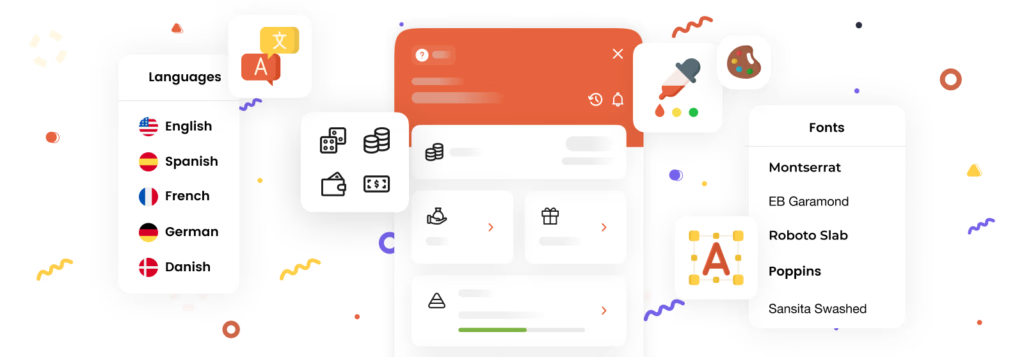
Having created a brand new widget for your customers, Gameball has decided to completely change your experience with creating and customizing the widget for your players as well. Now, the new widget settings is easier to navigate through and adapts to the new player and guests widget.
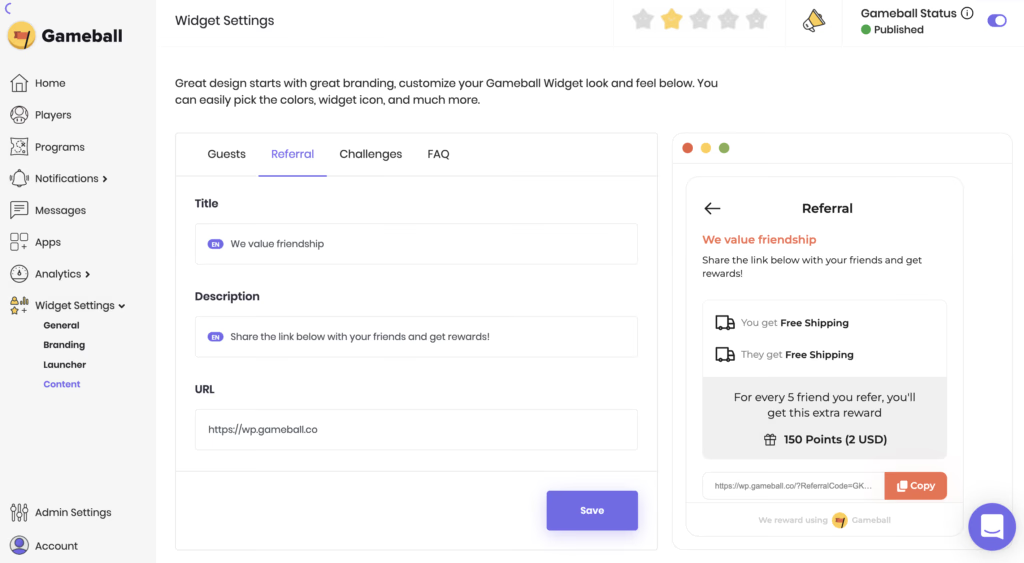
When you go to the Widget Settings on your dashboard, you will find that the whole section is revamped. Here are some of the major changes we applied:
- Different widget sections are now found on the left bar, under "Widget settings."
The new widget sections are: General, Branding, Launcher, Content
- Each section takes you to a different type of settings under multiple tabs.
- Deep links are easier to create and apply.
- Widget preview now displays all changes and is more responsive.
- Icon libraries have a wider range of iconography that goes well with the new widget.
There are much more enhancements to the widget settings section on the dashboard. Make sure to check them yourself.
2- "Free Product" Coupon Added Directly to Cart
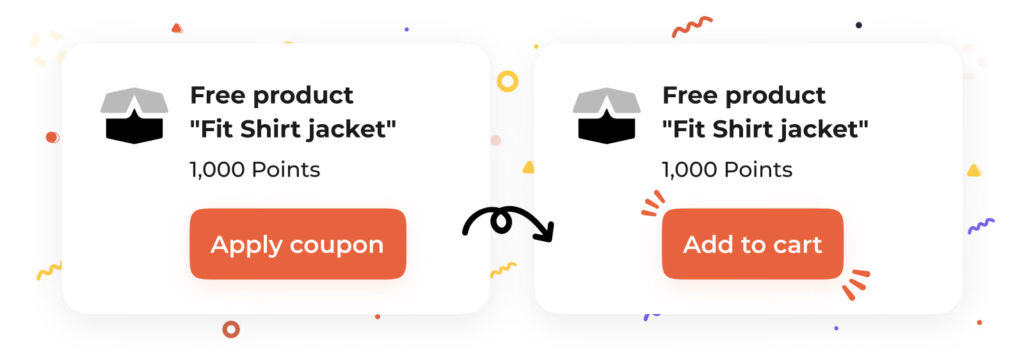
Before this enhancement, when customers clicked "Apply coupon" on a Free product coupon, the process was only deemed valid as long as this particular product was manually added to the cart by the customer. This of course caused confusion and did not provide the best customer experience.
Now, instead of "Apply coupon" button, all a player needs to do is click "Add to cart." This action will automatically add the specified free product to the cart and activate the coupon during the checkout process.
As always, stay tuned for our monthly updates as there are many more exciting things in the works. We are always working hard to enhance your experience and fulfill all your requests and needs.
If you have any comments or suggestions, please send us an email to [email protected]
.svg)
.svg)
.svg)

Ready to level up your game?
Create your first campaign and start seeing results in 30 days.
Ready to grow?
Get in touch with our sales team today.
The loyalty vendor checklist your CTO
will thank you for
Discover engineering challenges, essentials, and more from global brands.
%2520(1).avif)
Rana El Gharib
Product Education Specialist
Stay ahead on retention
Subscribe to our newsletter and get all the latest updates as we post.

Ready to level up your game?
Create your first campaign and start seeing results in 30 days.
Read related articles

Ready to level up your customer loyalty?
Level up your customer loyalty!


.avif)
.avif)
.avif)
.avif)